Every tab,organized & protected.
Save every open tab with one click. Find any of them later. Back them up to the cloud so crashes can't touch them.
Tab managers got complicated.
I tried every tab manager out there. They were either bloated with features I didn't need, confusing to navigate, or they'd lose my tabs after a Chrome update. So I built the one I actually wanted to use. Bonus: my laptop stopped overheating.
“The interface is crowded and unintuitive.”Tabs Outliner review
“Used this for years… prompted me to repair and now I lost close to 4k tabs.”Chrome Web Store review
“My almost 1,000 links disappeared after I reinstalled Chrome.”Google Support thread
Everything you need, nothing you don't
One-click save & smart grouping
Save every open tab, grouped by domain. Hit Alt+Shift+T and move on. Duplicates are caught for you.
Cloud Backup
Backs up every time you save. When Chrome doesn’t cooperate, one click brings everything back.
Instant Search
Search across every session you’ve ever saved. Start typing, results show up as you go.
Import & Export
Migrate from OneTab. Export as JSON, HTML, or plain text. Your data stays yours.
Sync & Unlimited
Sync between devices. No 500-tab soft limit. Laptop to desktop, same tabs.
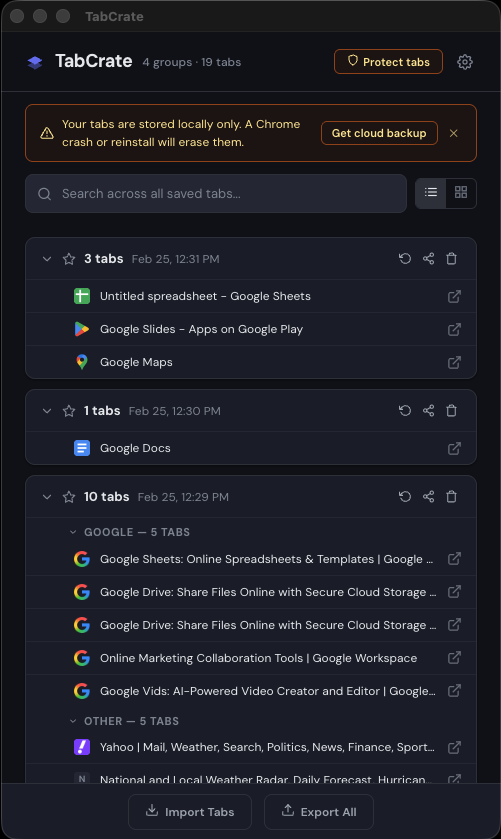
Dark mode. Obviously.
Dark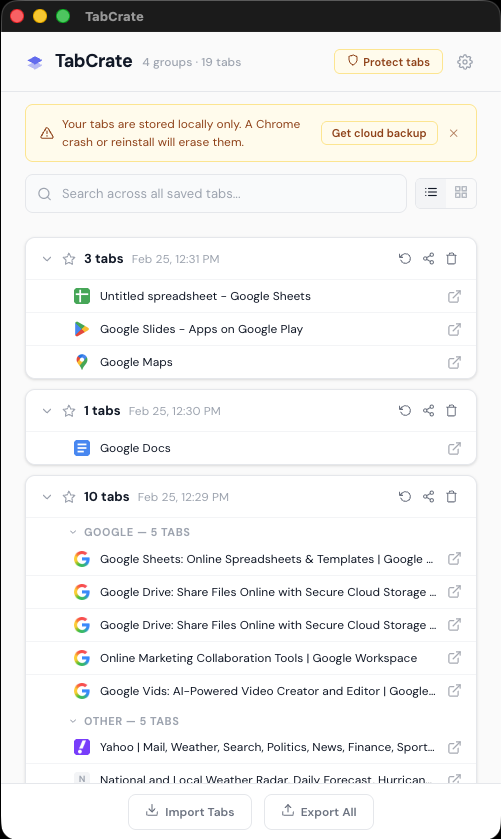
LightFree is powerful. Pro is bulletproof.
Most people start free. Power users upgrade for the safety net.
No credit card. No catch.
- ✓One-click save all tabs
- ✓Smart domain grouping
- ✓Instant search
- ✓Import & export
- ✓Dark & light themes
- ✓Duplicate detection
- —500-tab soft limit
No account required
$34.99/year — save 16%
- ✓Everything in Free
- ✓Cloud backup on every save
- ✓Automatic disaster recovery
- ✓Cross-device sync
- ✓Unlimited tabs
Upgrade anytime from the extension
| Feature | Free | Pro |
|---|---|---|
| One-click save | ✓ | ✓ |
| Domain grouping | ✓ | ✓ |
| Instant search | ✓ | ✓ |
| Import & export | ✓ | ✓ |
| Keyboard shortcut | ✓ | ✓ |
| Duplicate detection | ✓ | ✓ |
| Cloud backup | — | ✓ |
| Disaster recovery | — | ✓ |
| Cross-device sync | — | ✓ |
| Unlimited tabs | — | ✓ |
Free keeps everything local — we never see it. Pro encrypts and syncs to the cloud. We never sell or share your data.
Without cloud backup, locally stored tabs can be wiped. Pro’s cloud backup means one-click recovery — everything comes back instantly.
Yes. Export from OneTab, paste into TabCrate’s Import screen, done. JSON and plain text also supported.
Tabs stay intact locally. Cloud sync stops but you keep everything. Export anytime.
Click the TabCrate icon and all your open tabs are saved and closed automatically. You can change this behavior in Settings.
Left-click the TabCrate icon to open the menu, then choose which tabs you want to save.
Yes. Select one or more tabs inside TabCrate, then use the ‘Move to…’ action to place them in a new or existing group.
Free has a 500-tab soft limit. Pro removes it entirely.
Chrome today. Edge, Brave, and Arc support is on the roadmap.